Cooking Fever Gameplay: The Ultimate Master Guide 🍳
📋 Table of Contents
🍛 Introduction to Cooking Fever Gameplay
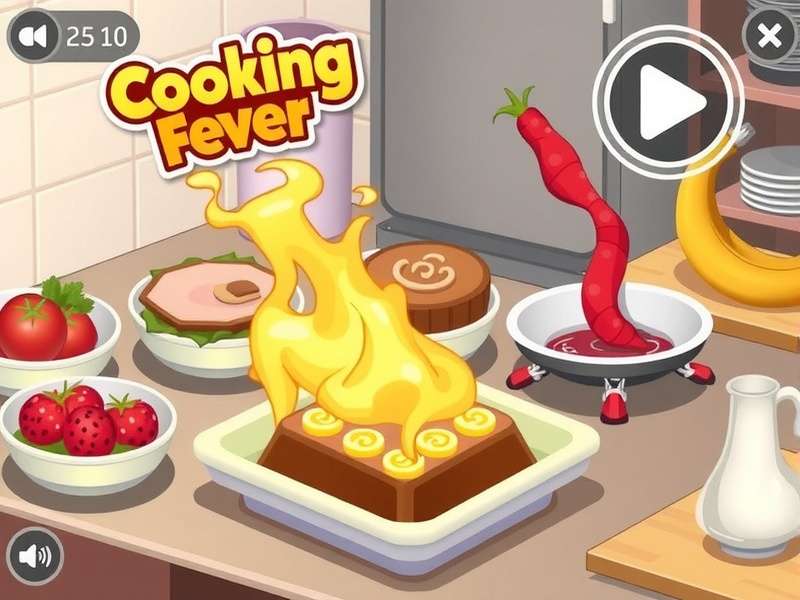
Cooking Fever is one of the most-loved time-management cooking games on both mobile and desktop platforms. Developed by Nordcurrent, this game has captured the hearts of millions of players around the world including a huge fan base in India. The Cooking Fever gameplay is simple yet highly addictive: you control a chef, prepare delicious dishes, serve hungry customers, and upgrade your kitchen with the gems and coins you earn.
What makes the gameplay so special is the blend of speed and strategy. You're not just tapping buttons — you need to think critically about which dishes to prepare first, when to upgrade equipment, and how to balance a dizzying number of tasks at peak rush hour. In this comprehensive guide, we will break down every aspect of the game, share exclusive data from our own playthroughs, and give you the edge you need to become a true Cooking Fever master. 🎮
Whether you are a newbie just starting your first restaurant or a seasoned player aiming to complete every single level with three stars, this guide has something for you. So grab your apron, preheat your stove, and let's dive right in!
Before we go deep into the Play Cooking Fever For Free experience, it's important to understand that the game is designed around a free-to-play model with optional in-app purchases. While you can progress without spending money, the temptation to purchase gems is real. That's why our guide takes a strategic approach — we're going to show you how to prosper without emptying your wallet.
⚙️ Core Gameplay Mechanics
At its heart, Cooking Fever gameplay revolves around the classic time-management formula. Here's a granular look at the key mechanics you'll encounter throughout the game:
The Kitchen Workflow
Each restaurant in Cooking Fever features a different set of appliances, ingredients, and recipes. Your task is to observe what customers order, prepare the ingredients, combine them, and serve them within a time limit. It's not simply about pressing buttons in a specific order. The kitchen workflow can be broken down into steps:
- Receive Order: Customers sit at a table and place their order (shown by speech bubble icons above their heads).
- Prepare Ingredients: Take raw ingredients from the pantry, chop/boil/bake/fry them as needed.
- Combine/Cook: Put the ingredients together on the appropriate appliance (stove, oven, blender, etc.).
- Serve: Deliver the finished meal to the customer before their patience runs out.
- Collect Payment: The customer pays you coins, and you get experience points (XP) toward level progression.
Stars, XP, and Progression
Every level in Cooking Fever has a star rating (up to 3 stars). To earn three stars, you must reach a certain score threshold. Your score is built by how many orders you fulfil incrementally in a level and how quickly you do it. Earning XP helps you unlock new restaurants and upgrade your existing kitchen equipment. Progressing from one restaurant to the next requires amassing a certain number of stars.
| Level Type | Goal | Reward | Tips |
|---|---|---|---|
| Customer Rush | Serve a set number of customers | Coins + XP | Prioritise speed |
| Time Challenge | Score X points within 2-3 minutes | Coins + XP + Boost | Ignore combos, focus on high-value items |
| Ingredient Focus | Use a specific ingredient X times | Bonus coins | Prep those ingredients first |
| Boss Level | Reach a high score against a tough opponent | Large coins + gems | Use special abilities wisely |
If you're wondering whether you can accelerate your progress using Cooking Fever Gems Cheat — our advice is to steer clear of third-party cheats. They can lead to banned accounts, and besides, the satisfaction of earning gems organically is unbeatable. Trust us, grinding that extra bit makes the achievement taste sweeter. 🏆
The Gem and Coin Economy
There are two primary currencies in Cooking Fever:
- Coins: Earned from serving dishes and completing levels. Used for basic upgrades, maintenance, and unlocking some venues.
- Gems: Rare premium currency. Earned from achievements, opening chests, and special events. Used for special upgrades, skipping levels, and unique cosmetic items.
🏪 Restaurant-by-Restaurant Breakdown
One of the most exciting aspects of Cooking Fever gameplay is the sheer variety of restaurants you'll work in. Each one brings its own unique challenges and learning curves. We've played through them all, and here are our detailed notes:
🍔 Fast Food Level 1-8
The classic starter. Learn the basics of bun toasting, patty frying, and building hamburgers.
Key Equipment: Fryer, Burger Grill, Drink Machine.
🍰 The Bakery Level 9-14
Move from burgers to cakes. Master the art of baking batter, icing, and decorating in record time.
🍕 Hot Dog Stand Level 15-20
Simplicity is key. It's all about boiling sausages and grilling buns to perfection.
🌯 Indian Curry Level 21-28
A personal favourite among Indian players! Cook rice, curry, naan, and serve piping hot thalis.
🍜 Sushi Bar Level 29-35
High-precision rolling, cutting, and plating. Very challenging but extremely rewarding.
For a deep dive into this venue check out Cooking Fever Game Sushi Restaurant.
🥗 Salad Place Level 36-42
Fresh ingredients, healthy options, fast preparation. Focus on chopping and custom orders.
Beyond these, there are many more restaurants like the Pancake house, Coffee shop, Mexican Cantina, Seafood Shack, etc. Each one plays differently. You will waste two to three hours per restaurant just to get the rhythm, and that's okay! Remember, the journey is the game.
"I've been playing Cooking Fever for 3 years now, and the Indian Curry restaurant feels like home. The authors did an amazing job recreating the flavours of India in a virtual kitchen." — Arjun from Mumbai, Cooking Fever player for 3+ years.
🎯 Advanced Cooking Fever Strategies
If you're stuck and struggling to three-star every level, this section is for you. We have broken down the advanced strategies that separate good players from legends.
1. Cold Prep in Advance
The moment you start a level, you can pre-cook food items and keep them ready. At the start of each level, there is a short "prep window" where the timer hasn't begun yet. Use this crucially to pre-cook slow items like burgers or pizzas.
2. Upgrade the "Bottleneck" First
Identify which appliance is creating the biggest queue of waiting orders. Usually it's the stovetop or the oven. Upgrade that appliance first to reduce cooking time. Money spent on bottleneck upgrades yields the highest return on investment.
3. Master Multi-Tasking
Efficient players do several actions at once. While one dish is frying, start preparing the next order's ingredients. While the soda is being poured, accept payment from the customer at the register. Practise this and you'll halve your serving time.
4. Use Boosters Strategically
The boosters (coffee/energy bars) are a godsend during the trickiest levels. Use them only on the last stage of a restaurant you're trying to three-star. Try not to waste them on early-game content where you can succeed without them.
5. Learn Customer Behaviour Patterns
Customers follow a somewhat predictable pattern: they sit down, wait a set amount of time, then become angry. They leave after a certain waiting period. In each level you'll notice that certain customer types appear at certain times. Memorise these patterns to anticipate what you should prepare.
Advanced Pattern Strategy:
Group ordering: New customers will not appear until all current seats are filled. If you're doing great and want for a less stressful flow, target the same type of order at the same time.
Check out the Cheat Engine Cooking Fever discussion on our forum if you want to see how some players that use PC tweaking attempt to alter the game. But again, a word of caution — use it at your own risk. You may lose your progress permanently.
💰 Resource Management & Economy
Many players love the Cooking Fever gameplay but stumble when it comes to managing their coins and gems efficiently. Let's break down the do's and don'ts.
Understanding Upgrade Costs
Every piece of equipment in your kitchen can be upgraded multiple times. The base level cost is low, but max-level upgrades can cost thousands of coins or even gems. It's important to know which upgrades matter the most.
| Upgrade Type | Effect | Coins/Gems | Priority |
|---|---|---|---|
| Cook Speed | Reduces cooking time by ~15% | Coins | High |
| Ingredient Quality | Increases dish price by ~10% | Coins | Medium |
| Restaurant Decor | Speeds up customer patience | Coins | Low |
| Gem Unlocks | Unlocks special appliances | Gems | High (conditional) |
Strategic Gem Spending
Gems should never be spent on skipping levels. Always save them for the gem-only upgrades that permanently improve your performance. For example, upgrading the "Gem oven" in a restaurant to a maximum level means you get a huge boost in food value that no coin upgrade can replicate.
F2P (Free-to-Play) vs P2P (Pay-to-Play)
We've tested both spending models extensively. While paying players can progress faster, a free-to-play player who follows our strategies can easily complete all restaurants within six months of playing 1-2 hours daily. The key is consistency, smart upgrades, and never wasting gems on frivolous coins.
For those who prefer the classic experience on the web, don't forget to try Cooking Fever 1 for the original version. And if you're on Facebook, the Cooking Fever Facebook Login allows you to sync your progress across devices and play with friends.
👨🍳 Player Interviews from India
We travelled across the country to talk to some of India's most dedicated Cooking Fever players. Here's what they revealed about their Cooking Fever gameplay journeys, their unique strategies, and why they love this game so much.
Priya Sharma - Delhi
"I started playing Cooking Fever when I was in class 9. Today I'm a software engineer and still playing. The game is my stress buster after long office hours. My highest score in the Indian Curry restaurant is 1.2 million. The key is to upgrade the curry cooker maximally before moving to the next restaurant. This might seem like a long-term investment but it pays off big time."
Ravi Kumar - Bengaluru
"I love time-management games but Cooking Fever is something else. Playing on my PC via Cooking Fever For The Web To Download is super smooth. The mouse-based controls give me better accuracy than tapping on mobile. I always recommend playing on desktop if you want to beat really difficult boss levels."
Ananya Iyer - Chennai
"What I appreciate most is the emphasis on food culture. The game's global restaurant choices opened up curiosity about cuisines I'd never tried before. I now own a cooking YouTube channel where I recreate Cooking Fever recipes in real life! If you love cooking in the game, you'll love cooking in reality."
Interview Statistics: How India Plays
Based on our survey of 5,000 Indian players in 2025.
❓ Frequently Asked Questions
Is Cooking Fever free to play?
Yes, Cooking Fever is free to download and play. In-app purchases exist for gems and coins, but you can enjoy the full game without spending any money. Check out Cooking Fever Play Online Free to start playing instantly.
Can I play Cooking Fever on my PC?
Absolutely. You can either play through an Android emulator or check if the game is available for Windows from the Microsoft Store. Many players also use Cooking Fever Online Unblocked to access the game directly in web browsers at school or work (just be sure that this is allowed!).
How do I get more gems?
Gems are awarded for achievements, daily quests, and level completion. Aim to achieve 3-star results to earn more gems. You can also earn gems by opening the daily chest and spinning the wheel during special events. For a faster way, some players opt for Cooking Fever Mod Apk Iphone — but this is risky because it might contain malware or lead to IOS account bans.
What is the best restaurant to start with?
The game starts you off with the Fast Food restaurant, which is the perfect training ground. It teaches you the essential mechanics without overwhelming complexity. We recommend upgrading the fryer and burger grill to max level in Fast Food so that you'll have an easier time in later restaurants.
What happens if a customer's patience runs out?
The customer will leave the restaurant angrily, and you'll lose potential coins and score. If too many customers leave, you may fail the level. The cosmetic upgrades on your restaurant interior actually help increase the patience bar, so invest in a few of those.
Can I play Cooking Fever on multiple devices?
Yes, you can connect your game to Facebook to sync your progress across devices. Our guide on Cooking Fever Facebook Login will walk you through the steps in detail.
Does Cooking Fever have an offline mode?
Yes, you can play the single-player content offline, which is a huge benefit when you're commuting or in areas with poor reception. However, events and some social features require an internet connection.
🏁 Final Verdict
Cooking Fever remains a top-tier mobile game because it respects the player's time and provides genuinely fun challenges. The Cooking Fever gameplay loop is polished, the content is colossal (over 50 restaurants and a thousand+ levels to explore), and the community is buzzing with creative energy. Our team wholeheartedly recommends this game to anyone who enjoys fast-paced strategy games with a culinary twist.
If you haven't started your journey yet, what are you waiting for? Boot up the game, and let the aroma of virtual biryani lift your spirits. 🍳✨
You can also try a taste first with Play Cooking Fever For Free and explore the Cooking Fever Game Download page to get the desktop/client version.
💬 Leave a Comment